See it in action
The actual app, shot on iPhone — no mockups, no fakes.
Map Measure turns Apple's satellite map into a precise ruler. Tap to drop points, sweep with your finger to draw curves, read distance and area in any unit you like.
Download on the App Store One-time lifetime price · No subscription · No adsFrom quick checks in the garden to laying out a new fence — measure first, decide later.
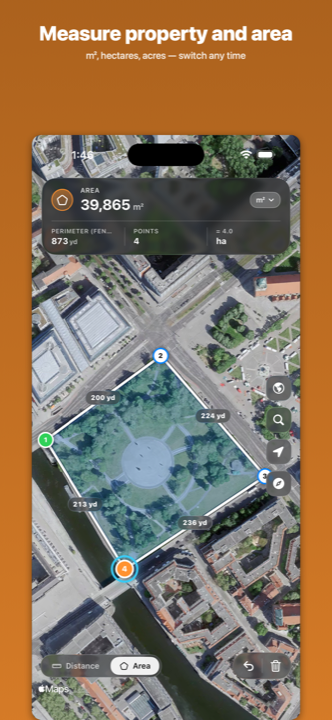
Outline your plot on the satellite map and see the area in m², hectares, ft² or acres.
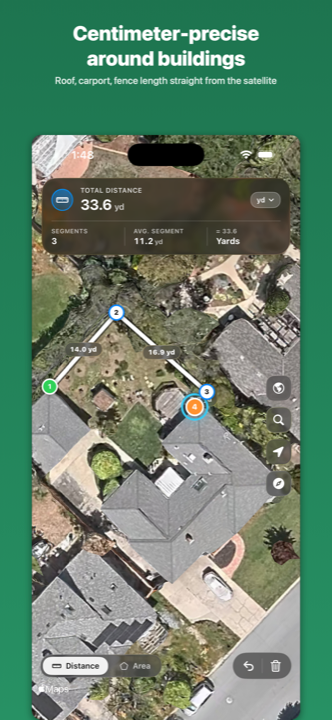
Walk the boundary point by point — Map Measure totals the fence length while you go.
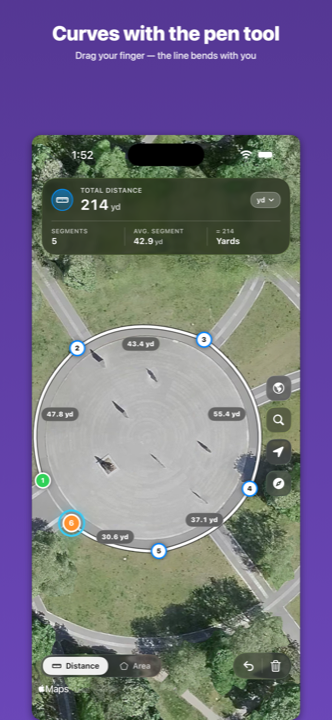
Sketch a winding path with the pen-tool finger sweep. The curve length is exact, not just the chord.
Zoom in close enough to measure individual roof segments to the centimeter.
The actual app, shot on iPhone — no mockups, no fakes.
Three gestures, one purpose: get an honest measurement in seconds.
Each tap adds a numbered marker. Distance and area update live as you build your shape.
Press an empty spot and drag your finger sideways — the line bends with you like a pen tool in Photoshop.
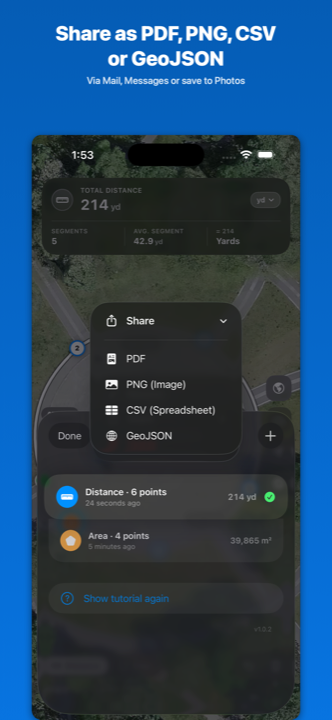
Save your measurement as PDF, PNG, CSV or GeoJSON — share to Mail, Messages, Files or your photo library.
Map Measure runs entirely on your device. Apple Maps powers the satellite imagery; we don't collect analytics, don't ship trackers, and don't require an account. Pay once on the App Store and the app is yours.